[Practical] How to deal with the input invoices obtained by enterprises for exporting goods?
The input invoices obtained by foreign trade enterprises need to distinguish between domestic sales and export business. What we are discussing today is export business. For export, if you want to apply for export tax refund, you need to check the input invoice obtained from export goods for tax refund first. Invoices can only be used for export tax refund declaration after tax refund is checked. The specific operation steps of tax refund check confirmation are as follows:
Step one:
Log in to Shanghai Electronic Taxation Bureau.
Step two:
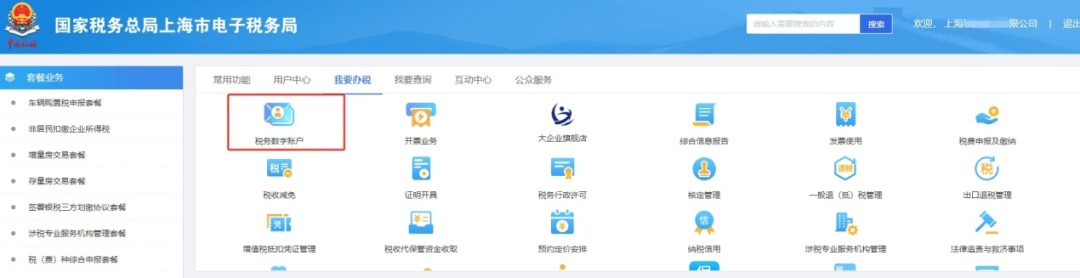
After logging in successfully, select "I want to do tax" module and click [Tax Digital Account].
Step 3:
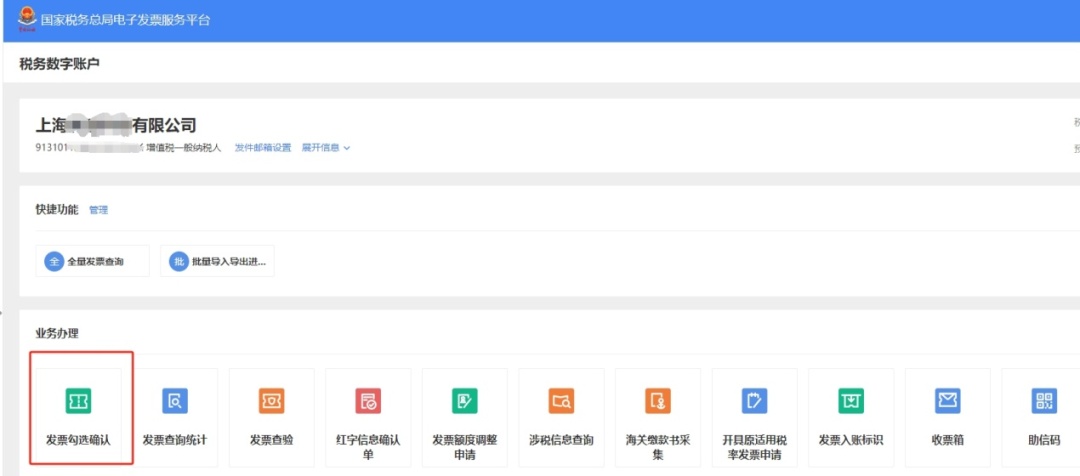
After entering the main interface of tax digital account, in the Business Processing module, click Invoice Check to confirm.
Step 4:
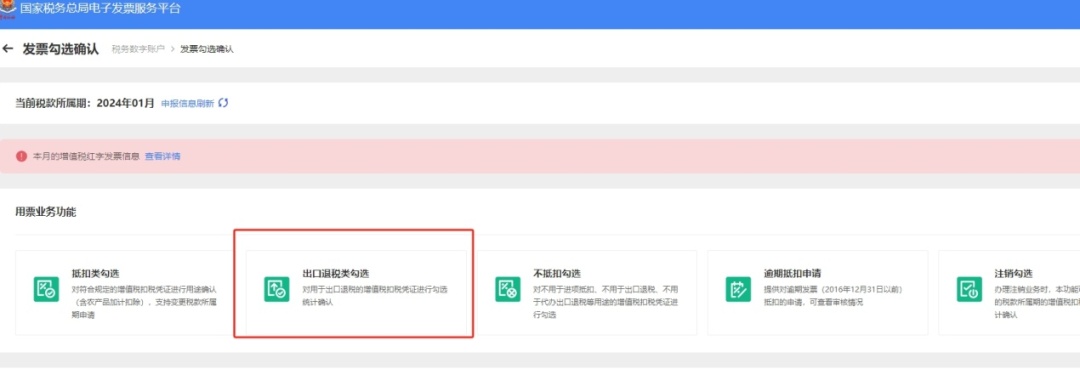
In the "Ticket Business Function" module, click "Check Export Tax Refund Category" to enter the invoice checking interface.
Step five:
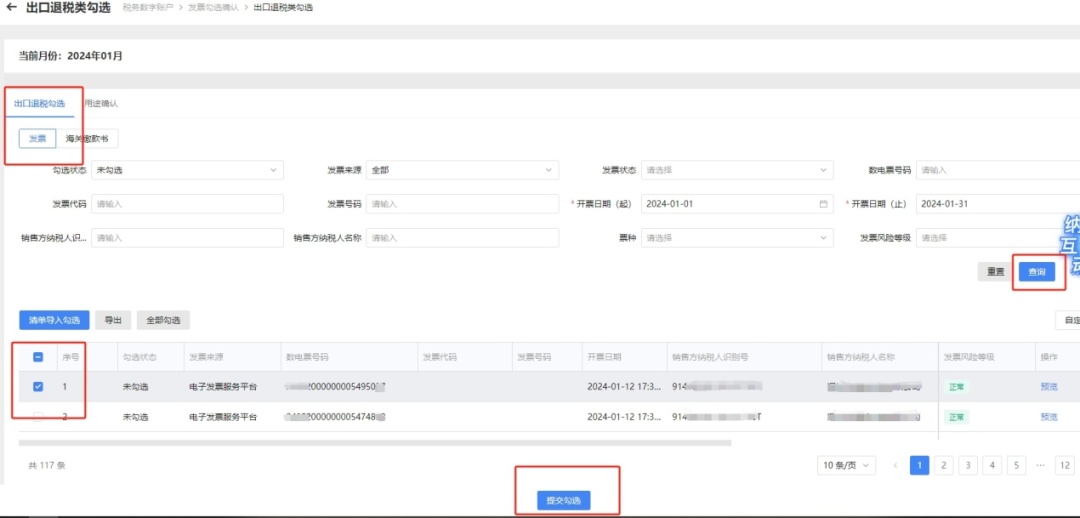
In the Export Tax Refund Check interface, select the voucher type of the Deduction Check module as Invoice, enter or select relevant query criteria as needed, click Query, check the VAT invoice to be declared, and click Submit Check.
Step 6:
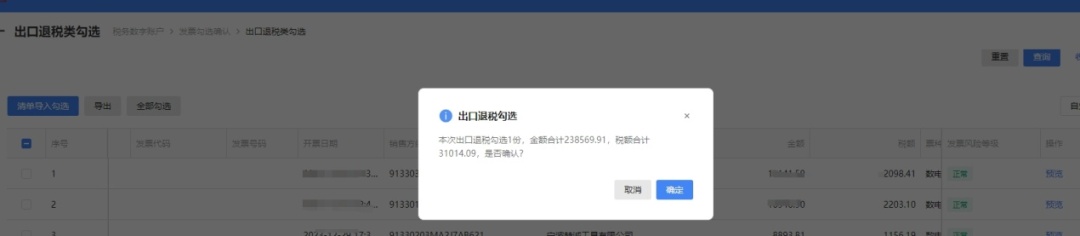
Click Submit, and the pop-up window will pop up. Check the checked invoice information, and then click Confirm.
Step 7:
After submitting the data, it will pop up, check the use of the selected invoice information, and click [Use Confirmation] after confirming that it is correct.

In this way, the operation is completed by checking and confirming the input invoice tax refund obtained by foreign trade enterprises.